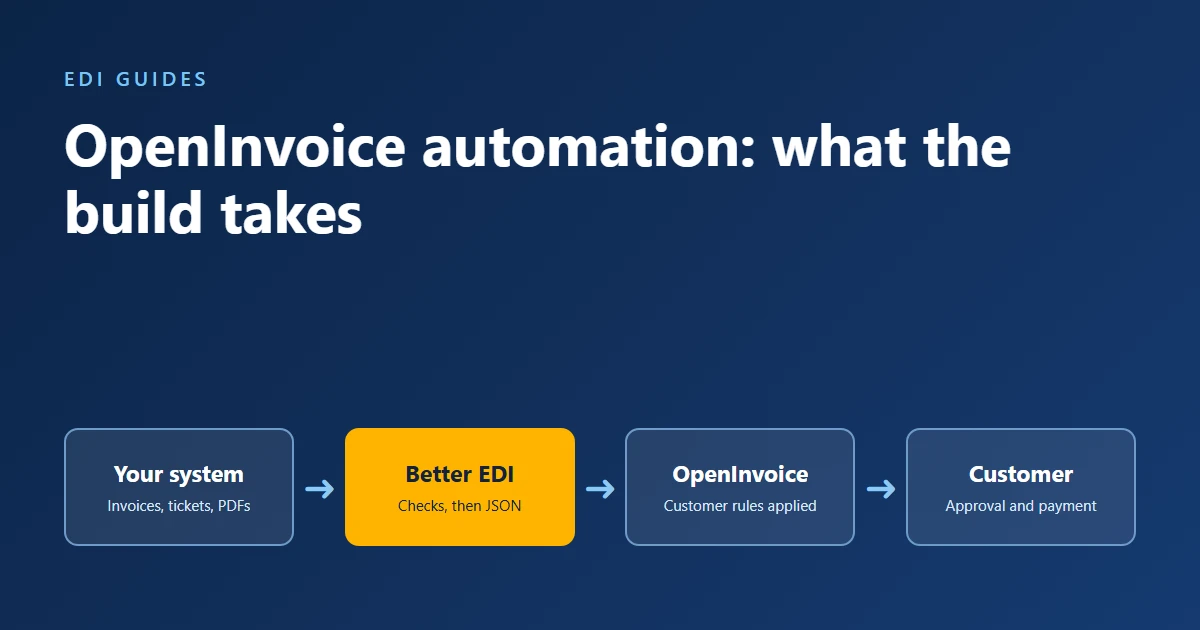
OpenInvoice automation means your invoices and field tickets leave your business system (your ERP or accounting system) and arrive in your customer's OpenInvoice account without anyone retyping them. This post covers what that build involves, based on a connection our team built for a supplier whose staff keyed every submission by hand. It is written for the finance, operations, and IT people who own that work today.
The short version: sending the data is the easy part. Getting each customer's account to accept it the first time is where the effort goes.
Key takeaways
- OpenInvoice takes supplier documents in more than one integration format, including PIDX XML and JSON, and the right choice depends on your workflow.
- Each customer sets its own required fields, coding, and attachment rules, so one mapping does not fit every customer.
- Some account settings are enabled by Enverus or by your customer, not by you. Plan time for those requests.
- Check every document against the customer's rules before it is sent. A submission that fails a rule comes back, and the payment waits.
- Test in a dry-run mode first, so nothing reaches a customer's account until the output is right.
Why do manually entered OpenInvoice submissions come back?
Manual submissions come back because OpenInvoice checks what people type, and retyping produces small errors. In the project behind this post, the returned submissions were mostly wrong dates or wrong totals. Each one had to be corrected and resubmitted before the customer could approve it.
OpenInvoice is the Enverus accounts payable platform that oil and gas operators use to receive, review, and approve invoices and field tickets from suppliers. In this post, "customer" means the operator you invoice. Enverus says "thousands of suppliers" are connected to customers through OpenInvoice (OpenInvoice supplier registration).
The manual process was slow for this supplier in three ways:
- Retyped data. Staff copied invoice and ticket details from the business system into the portal by hand.
- Forgotten attachments. A submission without its supporting PDF stalls until someone notices and adds it.
- Different rules per customer. What one customer's account accepts, another rejects.
Exceptions are common on the receiving side too. Ardent Partners reports an average invoice exception rate of 18.4% for accounts payable departments in its State of ePayables 2025 research (Ardent Partners, January 2026). That figure covers buyers across industries, not OpenInvoice suppliers, but it shows how often invoices need a second look.
What we built for the supplier
We built an automatic path from the supplier's existing business system into each customer's OpenInvoice account, the same kind of OpenInvoice integration Better EDI runs for other suppliers. The supplier's team kept its own workflow. The connection:
- Submits invoices and field tickets automatically. The data comes straight from the business system, and a submission takes seconds.
- Finds and attaches supporting PDFs. The matching backup document travels with each submission.
- Checks before it sends. Each document is tested against the customer's rules, and bad data stops before it reaches the customer.
- Routes exceptions to people. Documents that pass go straight through. Staff see only the ones that fail a check.
What makes OpenInvoice automation hard?
The hard parts were choosing a format, getting settings enabled, meeting each customer's validation, attaching documents correctly, and testing safely. None of them shows up in a diagram of the data flow.
Two formats, and the documentation points both ways
OpenInvoice integrations come in at least two families of format. One is PIDX XML, the oil and gas industry's established standard. PIDX (Petroleum Industry Data Exchange) publishes schemas for the invoice, invoice response, field ticket, and field ticket response, among others (PIDX standards). The other is JSON sent through an API.
The material we worked from described both paths, and it did not always agree on which one to use. Public detail is also thin. Most field-level requirements live in each customer's submission guidelines, not in one open reference.
Those guidelines show why the choice matters. ARC Resources' guide for OpenTicket, the OpenInvoice module for field tickets, labels JSON the "Recommended API format." It also states that custom data fields "are not supported by PIDX Suppliers" (ARC Resources OpenTicket Submission Guidelines, December 2024). So the format you pick can decide which customer fields you are able to send. We compared both formats against the supplier's workflow and built on JSON, the format Better EDI exchanges with OpenInvoice.
Some settings are not yours to turn on
Several settings we needed were not visible in the supplier's account until someone else enabled them. The registration page says customers "can enable you to submit invoices through this system" (OpenInvoice supplier registration). The ARC Resources OpenTicket guide tells suppliers who cannot see the tabs needed to add OpenTicket to contact their OpenInvoice administrator or Enverus.
We worked closely with the Enverus team to get the right settings switched on. If you plan this project, put those requests in early. They sit on someone else's calendar.
Every customer validates differently
The portal checks date formats, name formats, required fields, and account coding, and the rules change from customer to customer. Three public examples:
| Rule | ARC Resources | Cenovus Energy |
|---|---|---|
| Ticket number length | 18 characters maximum | 16 characters maximum |
| Coding format | Account codes are always 6 digits | Cost centers use a CC prefix and eight digits |
| Attachments | A copy of the invoice from your accounts receivable system on every invoice | 9 MB maximum per invoice attachment; PDF recommended for field tickets |
The ARC Resources rules come from its OpenInvoice submission guidelines and OpenTicket guidelines (December 2024). The Cenovus Energy rules come from its OpenInvoice submission guidelines (June 2026). The Cenovus guide also says a field ticket is rejected if its currency does not match the PO, and that missing or incorrect ticket information "may result in approval delays or rejection."
Our answer was simple and repetitive. Every rejection we saw in testing became a rule that our system checks before it sends. When a test submission came back because a date was in the wrong format, the system gained a date-format check for that customer. Over time the list of rules per customer grows, and the list of surprises shrinks.
A document that passes our checks can still be disputed by a person. The ARC Resources OpenTicket guide tells suppliers to read the dispute comment, correct the ticket, and resubmit it. Automation shortens that loop because the correction happens once, in the business system or in the rule.
Attachments have to arrive in the expected format
Customers want backup with the submission, and each sets its own limits. Cenovus Energy caps each invoice attachment at 9 MB and recommends PDF for field tickets (Cenovus Energy submission guidelines).
Getting a PDF to travel with the invoice, in exactly the form the platform expects, took careful testing. We found no public specification for it. Expect to work this out with test submissions, not from a document.
Testing without touching a customer's account
A test invoice that lands in a real customer's queue creates work for that customer and confusion about what is owed. We built a dry-run mode. In a dry run, the system builds the full submission, runs every check, and shows the result, but sends nothing.
Nothing reached a customer's system until the dry-run output was right. The ARC Resources OpenInvoice guide directs questions about integration testing to the customer's own contact, so ask each customer how they want to test.
What this means if you're planning the same project
Before you start, get answers to these questions:
- Which format will you send, and does it support every field your customers require?
- Which settings must Enverus or your customer enable, and who makes that request?
- What does each customer require: fields, coding, number formats, and attachments?
- Where do the supporting PDFs live, and how will the system match each one to its document?
- How will you test without sending anything to a live customer account?
- Who corrects a disputed ticket or invoice, and where?
If you invoice through SAP Business Network as well, the same questions apply there. Our Ariba invoice automation guide covers that platform step by step.
How Better EDI handles OpenInvoice
Legacy B2B platforms are rarely plug-and-play. That's where experience matters. Better EDI builds and runs connections like the one described in this post. With Managed EDI, our team handles the format, each customer's rules, and the attachments. We work around the workflow you already have, and we stay with the connection through rollout and after it.
ERP Connect links the connection to your business system, so invoice data comes from the system you already use. Documents are encrypted in transit, and access to your connection is restricted to the people who run it. If you also trade by EDI, the EDI 810 invoice carries the same billing data to customers who ask for the X12 format.
Talk to our team about your customers and volumes.
Sources
- OpenInvoice (Enverus), Register to Become an OpenInvoice Supplier Company, retrieved 2026-11-13
- PIDX, Standards, retrieved 2026-11-13
- ARC Resources Ltd., OpenTicket Submission Guidelines, December 2024
- ARC Resources Ltd., OpenInvoice Submission Guidelines, December 2024
- Cenovus Energy, OpenInvoice Submission Guidelines for PO and Non-PO Processes, June 1, 2026
- Ardent Partners, State of ePayables (Part Nine): AP Benchmarks and Best-in-Class Performance, January 22, 2026