If a large customer told you to "submit invoices through Ariba," you may have started by logging into SAP Business Network, opening the purchase order, and flipping it into an invoice by hand. That works for a handful of orders. It stops working when the volume grows, when every buyer has different invoice rules, and when one rejected invoice can hold up a payment until it is corrected and resubmitted.
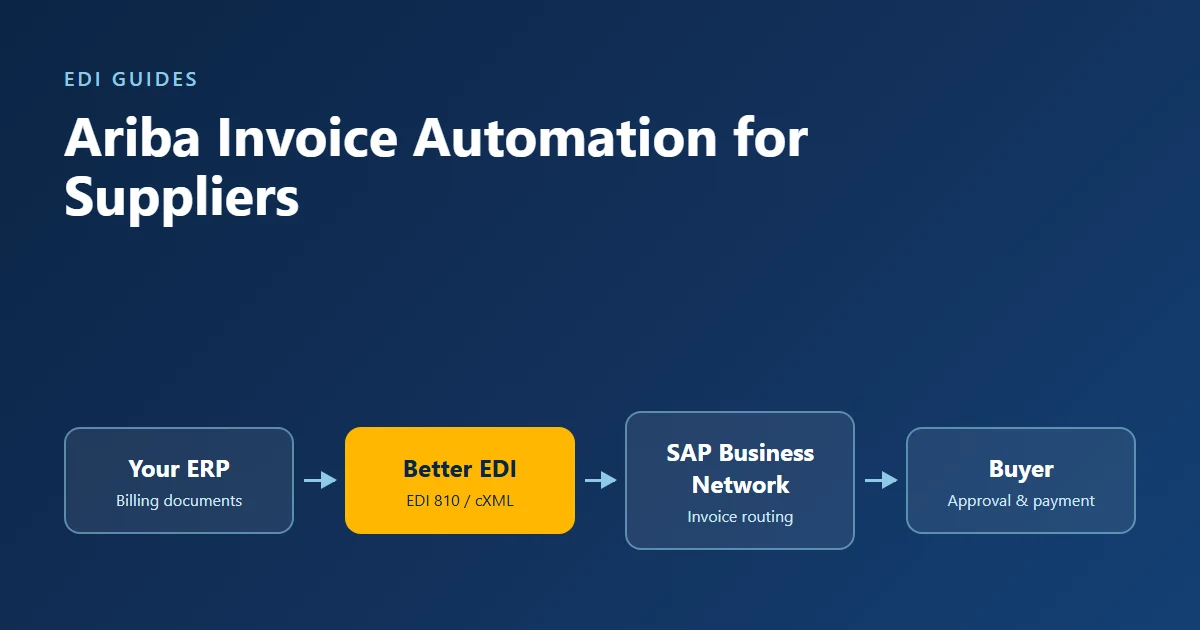
Ariba invoice automation means your invoices leave your ERP or accounting system and land on SAP Business Network without anyone retyping them. SAP Business Network is the supplier-facing network formerly called Ariba Network; the SAP Ariba procurement software your customer runs sends its purchase orders to you through it, which is why "Ariba invoicing" and "SAP Business Network invoicing" mean the same task. This guide walks supplier AR and finance teams through the decision and the setup: which invoicing method fits your volume, what it costs on the SAP side, how to avoid rejections, and how to test and go live. It finishes with how Better EDI's managed EDI service handles the integration work for you.
Key Takeaways
- SAP Business Network accepts supplier invoices three ways: online (including PO flip and CSV upload), cXML, and EDI using ANSI X12 810 or EDIFACT INVOIC.
- SAP recommends system-to-system integration for suppliers sending 500 or more documents a year, and sometimes as few as 200.
- System-to-system integration needs an Enterprise account, and SAP charges Enterprise suppliers fees once they pass 5 documents and US$50,000 with a buyer in a rolling 12 months.
- SAP lists buyer transaction rules and missing or invalid data among the reasons invoices are rejected, so collect each buyer's invoice rules before you map anything.
- For suppliers, the payoff of automation is invoices that pass buyer rules on the first try, not just saved keystrokes.
What are your options for invoicing on SAP Business Network?
SAP Business Network gives suppliers three invoice routing methods: online, where you create invoices in the portal; cXML, which accepts the InvoiceDetailRequest document; and EDI, which accepts ANSI X12 810 or EDIFACT INVOIC. You choose a default under Settings > Electronic Invoice Routing and can still create invoices online when you need to (SAP Support KB0396009).
Inside the online method there are two manual paths. PO flip, which SAP describes as "a manual invoicing option" in the network user interface, turns an order into an invoice one screen at a time (SAP Learning, buyer and supplier integration). CSV upload lets you load several invoices from a file, but SAP notes that CSV uploads cannot be integrated with Standard accounts and that any cXML integration requires an Enterprise account (SAP Support KB0394862).
| Method | How invoices get there | Account needed | Best fit |
|---|---|---|---|
| PO flip (online) | Typed in the portal from each PO | Standard or Enterprise | A few invoices a month to one buyer |
| CSV upload | Spreadsheet file uploaded to the portal | Upload is available in the portal; SAP says it cannot be integrated on a Standard account | Batches without an ERP connection |
| cXML | InvoiceDetailRequest sent from your system |
Enterprise | Suppliers with an ERP or e-commerce platform that speaks XML |
| EDI (X12 810 / EDIFACT INVOIC) | Invoice sent from your system over AS2 (EDI over the internet) or a value-added network (VAN) | Enterprise | Suppliers already doing EDI with other customers |
Full automation means cXML or EDI. Both carry the same business data; the difference is format. If you already exchange EDI 810 invoices with retailers or distributors, EDI usually lets you reuse that work. If your platform produces XML natively, cXML can be the shorter path. The cXML standard is still maintained: version 1.2.071 was published on August 14, 2026 (cXML.org).
Step 1: Check your account type and SAP's supplier fees
By the end of this step you will know whether your account supports integration and what SAP will charge you.
SAP offers a free Standard account with unlimited documents, and an Enterprise account billed as a "fixed subscription level fee plus transacted volume." System-to-system integration and invoice archiving are Enterprise-only features (SAP Business Network supplier pricing).
- Log in to SAP Business Network and confirm your account type.
- Check whether you are chargeable. These fees apply to Enterprise accounts; SAP describes the Standard account as free. According to SAP Learning, a supplier becomes chargeable after 5 documents and US$50,000 with one buyer in a rolling 12 months, and after that all relationships are chargeable. The transaction fee is 0.155% of the transacted amount (0.35% where service entry sheets are used), capped at US$20,000 per buyer relationship per year (SAP Learning, supplier fees).
- Note your subscription level. SAP groups it by annual document count: Bronze (5–24), Silver (25–99), Gold (100–499) and Platinum (500+) (SAP Learning, supplier fees).
- Check exemptions. The same SAP course lists US exemptions for public-sector buyers and certified small, disadvantaged, woman-, minority- or veteran-owned suppliers.
Fee terms change, so confirm the current schedule with SAP before you budget. You are done with this step when you know your account type and have a rough annual fee estimate.
Step 2: Count your volume and choose cXML or EDI
By the end of this step you will have picked a routing method.
SAP recommends integration "for suppliers who transact 500 documents a year or more," and says the threshold can be "as low as 200 documents" (SAP Learning, buyer and supplier integration). Documents include purchase orders, order confirmations, ship notices and invoices.
- Pull 12 months of orders from your Ariba-connected buyers and count every document type, not only invoices.
- If you are near or above 200 documents a year, plan for integration.
- Choose EDI if you already run EDI with other trading partners; choose cXML if your ERP or platform exports XML and you have no EDI setup.
- Decide which other documents to automate alongside the invoice. Integrating the order-to-cash cycle, not only the invoice, means invoice data starts from the buyer's own PO:
| Business document | ANSI X12 | cXML |
|---|---|---|
| Purchase order | 850 | OrderRequest |
| Order confirmation | 855 | ConfirmationRequest |
| Ship notice | 856 | ShipNoticeRequest |
| Invoice | 810 | InvoiceDetailRequest |
This pairing reflects common industry practice; confirm the document set each buyer enables. SAP says integration typically covers "POs, OCs, ASNs, Invoices and other documents," meaning purchase orders, order confirmations, advance ship notices and invoices (SAP Learning, buyer and supplier integration).
Step 3: Collect each buyer's invoice rules
By the end of this step you will have a written rule list for every Ariba buyer.
Buyers configure invoice rules under their default transaction rules, and SAP Business Network rejects documents that fail validation, whether they arrive online, by cXML or by EDI (SAP Learning, transaction rules). SAP's own rejection guide lists four causes: the invoice doesn't meet the buyer's transaction rules, required information is missing or invalid, the buyer's integrated invoicing system rejects it, or it ignores buyer-specific invoicing requirements (SAP Support KB0395748).
- Open each buyer's customer profile and supplier information portal on the network.
- Record their rules: for example, whether they accept non-PO invoices, tax requirements, and how strictly invoice quantities and prices must match the PO.
- Note any buyer-specific fields, such as supplier tax IDs or remit-to addresses.
Write these rules into your mapping requirements before anyone builds a map. Rules discovered in production turn into rejected invoices and late payments.
Step 4: Map your ERP billing data to the invoice format
By the end of this step, every field the buyer requires will come from a known place in your system.
- Export a sample invoice from your ERP or accounting system.
- Match each field to the 810 segment or cXML element the buyer requires: PO number, line numbers, quantities, unit prices, tax, and totals.
- Carry the buyer's PO line numbers through unchanged. PO matching depends on them.
- Validate totals. Make sure line totals add up to the invoice total (the TDS, or total monetary value summary, segment in an 810) before anything is sent.
If your ERP has a prebuilt EDI connector, much of this mapping comes ready-made; check before you build field maps by hand.
Step 5: Set up connectivity and invoice routing
By the end of this step, your system can send documents to SAP Business Network.
- Pick a transport. SAP notes that EDI over a value-added network (VAN) carries fees that EDI suppliers can avoid by using EDI over the internet with AS2, a secure point-to-point transfer protocol (SAP Learning, buyer and supplier integration).
- For new EDI setups, follow SAP's current guidance. SAP says its earlier EDI configuration guide is outdated and that new suppliers configuring EDI integration "should now use SAP Integration Suite, managed gateway" (SAP Support, EDI integration configuration article).
- For cXML, configure your endpoint and shared secret in the network's electronic order and invoice routing settings.
- Set your default under Settings > Electronic Invoice Routing to cXML or EDI.
You are done when a test connection from your system reaches the network without a transport error.
Step 6: Test with each buyer, then go live
By the end of this step, invoices flow without manual entry and you have a way to catch exceptions.
- Send test invoices in the buyer's test account, covering a standard invoice, a partial invoice and a credit memo if the buyer accepts them.
- Confirm each one passes the buyer's rules, not just the network's format checks.
- Get the buyer's sign-off, then switch to production.
- Watch the rejected-invoice queue every day for the first month. Rejections appear under Workbench > Rejected invoices, with notes on the Detail and History tabs (SAP Support, rejected invoices article). Fix the cause in your map rather than retyping the invoice.
Success looks like a stable daily flow from your ERP to the network, rejections close to zero, and no one on your AR team opening the portal to create invoices.
What does Ariba invoice automation actually save?
Published benchmarks measure the buyer's accounts payable cost; for suppliers, the gain is fewer rejected and resubmitted invoices. SAP's own course materials claim "75% order processing productivity gains via Integration" and "increased accuracy by 45-60%" (SAP Learning, buyer and supplier integration). These are SAP's figures, published without methodology, so treat them as the vendor's estimate rather than a benchmark.
Independent benchmarks show how widely invoice processing costs vary on the buyer side, which is the cost structured electronic invoices are meant to cut. In APQC's 2018 benchmark of 1,485 organizations, the top quarter of accounts payable functions spent $2.07 or less to process an invoice, the median spent $5.83, and the bottom quarter spent $10 or more (APQC via CFO.com, 2018).
More recent research from Ardent Partners found that best-in-class AP teams process invoices at $2.65 compared with a $12.42 average, based on a survey of 204 AP and finance leaders (Ardent Partners, State of ePayables 2025). Ardent also reports that organizations with advanced automation process an invoice in 2.9 days compared with an 8.2-day average (Ardent Partners, State of ePayables 2025, via Medius).
Those numbers measure the buyer's AP cost, not the supplier's, and we found no independent benchmark of supplier-side savings on SAP Business Network. The supplier benefit follows from how the network works: an invoice that fails a buyer rule is rejected and has to be corrected and resubmitted, so a structured invoice that passes the first time avoids that loop.
Common mistakes to avoid
Automating before you know the buyer's rules. Teams map the invoice from the ERP's default layout, then discover the buyer's tax or matching rules in production. Collect the rules first (Step 3).
Dropping PO line references. ERPs often renumber lines or consolidate them. When the invoice line doesn't point to the PO line, matching fails. Carry the buyer's line numbers through unchanged.
Paying VAN fees you don't need. SAP itself points EDI suppliers to AS2 to avoid VAN charges. Check your transport before you sign a per-kilocharacter contract.
Treating integration as a one-time project. Buyers change rules, and SAP updates its gateway and the cXML standard. Someone has to own maintenance.
How Better EDI helps you automate Ariba invoicing
Better EDI connects suppliers to SAP Business Network using both EDI and cXML, so you can send invoices straight from your ERP whichever format your buyer and platform support.
With Better EDI managed EDI, Better EDI's team handles onboarding, mapping, testing, support and ongoing maintenance. That covers Steps 3 through 6 of this guide. Average onboarding time is 5 business days, and connectivity runs over AS2, VAN or sFTP. The same service supports the 850, 855, 856, 810 and 820 documents, so you can automate the full order-to-cash cycle rather than invoices alone.
On the ERP side, Better EDI's ERP Connect offers native connectors for SAP S/4HANA, SAP ECC, NetSuite, Microsoft Dynamics 365, Acumatica, QuickBooks Online and Odoo that pull billing data directly, so you don't need to build a separate integration. Better EDI pricing is a flat monthly plan sized by document volume, starting at $199 a month for 200 documents. Better EDI does not charge a percentage of your invoice value; SAP Business Network's own subscription and transaction fees from Step 1 still apply separately.
If your team supplies other large customers, the same setup serves them too. See how Better EDI works with suppliers and vendors.
Frequently asked questions
Do I need an Enterprise account to automate Ariba invoicing?
Yes, for system-to-system automation. SAP lists integration as an Enterprise-only feature, and its support documentation says a supplier needs an Enterprise account to use any cXML integration features. Standard accounts are free but limited to online invoicing.
Should I use cXML or EDI for SAP Business Network?
Choose EDI if you already exchange EDI with other customers, because you can reuse your mappings and connections. Choose cXML if your system generates XML and you have no EDI in place. SAP Business Network accepts both formats.
Why does SAP Business Network reject my invoices?
SAP lists four causes: the invoice breaks a buyer transaction rule, required data is missing or invalid, the buyer's own invoicing system rejects it, or it ignores buyer-specific requirements. Check the History tab on the rejected invoice for the reason, fix it, and submit a new invoice.
How long does Ariba integration take?
It depends on how much of your ERP data needs mapping and on each buyer's testing schedule. Better EDI's average onboarding time is 5 business days; each buyer's test and approval cycle adds time on top of that, so plan for the buyer's schedule as well as your own.
Start automating your Ariba invoices
Automating Ariba invoicing comes down to six steps: confirm your account and fees, pick cXML or EDI, collect buyer rules, map your data, connect, and test. Done well, your invoices pass the buyer's rules the first time and stop waiting in a rejection queue.
If you'd rather not build and maintain the integration yourself, talk to Better EDI about connecting your ERP to SAP Business Network. For a broader look at what EDI should cost, read Are You Paying Too Much for EDI?
Sources
- SAP Support, "How can I configure Electronic Invoice Routing" (KB0396009), retrieved 2026-10-30: https://support.ariba.com/item/view/KB0396009
- SAP Support, "How do I import the CSV invoice and attach files?" (KB0394862), retrieved 2026-10-30: https://support.ariba.com/item/view/KB0394862
- SAP Support, "Why does my invoice get rejected?" (KB0395748), retrieved 2026-10-30: https://support.ariba.com/item/view/KB0395748
- SAP Support, EDI integration configuration article (KB0396953) on SAP Integration Suite, managed gateway, retrieved 2026-10-30: https://support.ariba.com/item/view/173352
- SAP Learning, "Overview of SAP Business Network" course, transaction rules lesson, retrieved 2026-10-30: https://learning.sap.com/courses/overview-of-sap-business-network/configuring-settings-and-transactions-rules_fedac9be-f995-4f5b-a5ed-999c0dc1caa8
- SAP Support, rejected invoices article (KB0392616), retrieved 2026-10-30: https://support.ariba.com/item/view/117381
- SAP Learning, "Overview of SAP Business Network" course, integration lesson, retrieved 2026-10-30: https://learning.sap.com/courses/overview-of-sap-business-network/discussing-the-buyer-and-supplier-integration_b979e77e-8c05-4df1-8c63-b2858e209cb7
- SAP Learning, "Overview of SAP Business Network" course, supplier fees lesson, retrieved 2026-10-30: https://learning.sap.com/courses/overview-of-sap-business-network/discussing-the-sap-business-network-supplier-fees_e4deac90-bef8-4e86-a86b-08d526286a4b
- SAP, SAP Business Network supplier pricing, retrieved 2026-10-30: https://www.sap.com/products/business-network/suppliers/pricing.html
- cXML.org, cXML 1.2.071 (2026-08-14), retrieved 2026-10-30: https://cxml.org/
- APQC, "Metric of the Month: Accounts Payable Cost," CFO.com, 2018-02-05: https://www.cfo.com/news/metric-of-the-month-accounts-payable-cost/659393/
- Ardent Partners, State of ePayables 2025 (report summaries hosted by Tradeshift and Medius), 2025: https://tradeshift.com/state-of-epayables-2025-report/ and https://www.medius.com/resources/guides-reports/ardent-partners-state-of-epayables/